End-of-stay turnovers and lighter mid-stay cleanings, with tasks, before/after photos and reporting — so every changeover is done right, every time.

A clear checklist for the team and a clear picture for you.
Two kinds of cleaning: full end-of-stay turnovers and lighter mid-stay refreshes — build each one as sections and steps, with a photo required where it matters.
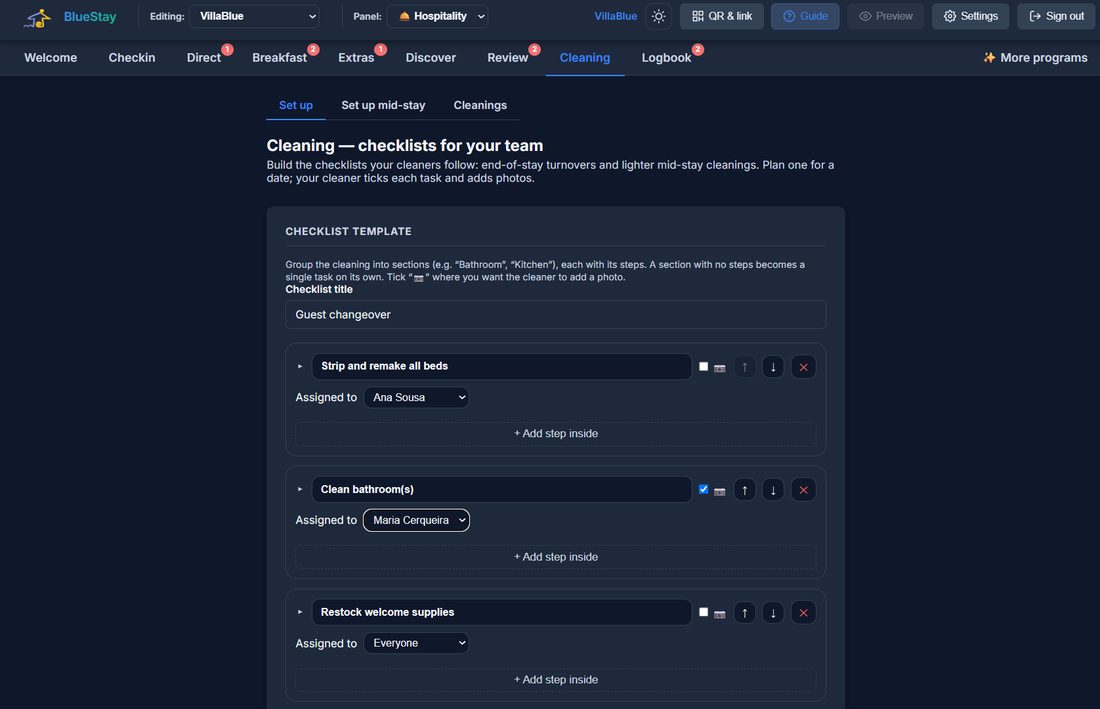
Plan a turnover for a date; your cleaner ticks each task and adds photos. You see status and progress at a glance, with a record of every changeover.

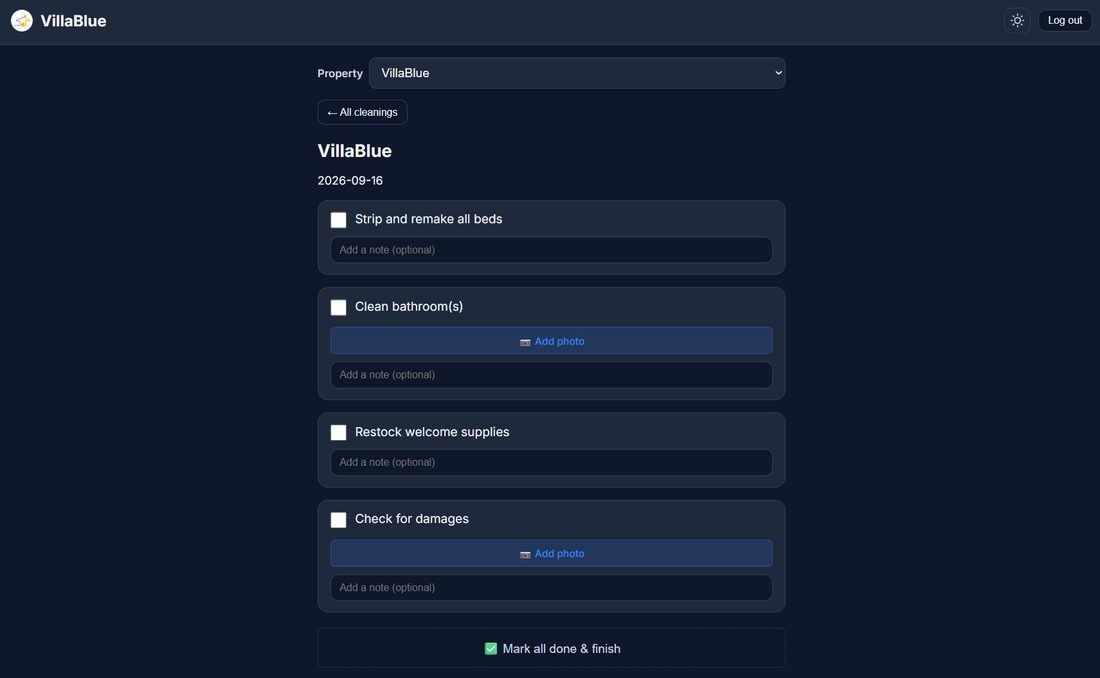
Whoever cleans signs in and lands straight on the properties you assigned them — not your admin panel, not your figures. They tick each step, add the photos you asked for, and leave a note where something needs saying.
Why it matters: nobody learns a system to clean a house. This one is a list with tick boxes — and it works on the phone they already have in their pocket.
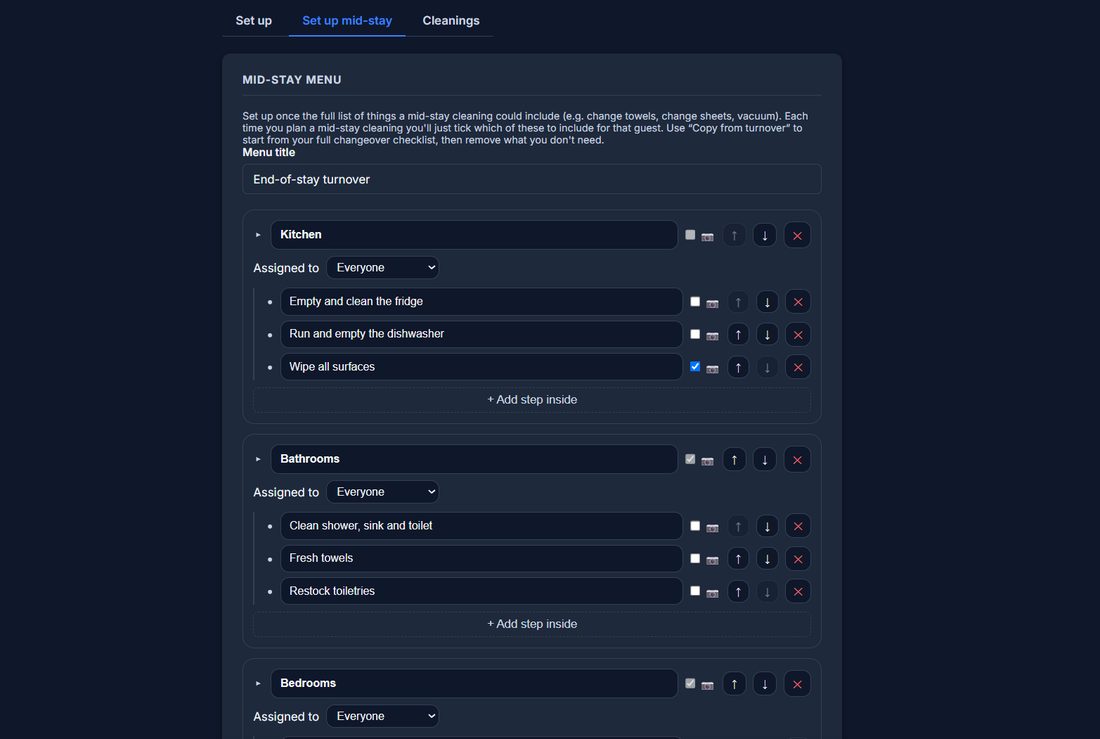
Long stays need a lighter touch halfway through, not a full turnover. Build that list once — towels, bathroom, bins — then plan it for a date and tick only what this visit needs. Same photos, same notes, same record.
Build the checklist, assign the team, review the results.
Set tasks for turnovers and mid-stay cleanings per unit.
Add your cleaners and give each one the properties they look after. On every step you can also write who takes care of it, so the list says it out loud.
Check photos, notes and completion from the admin panel.
A clear list means every changeover is done to the same standard.
Cleaners get a simple phone view — no training needed.
Before/after photos give you peace of mind before check-in.
EUR 6 per month for one property. Up to 5 properties is EUR 22.50 per month, up to 20 is EUR 84 per month. Monthly billing can be cancelled anytime, and yearly billing gives you two months free.
They get their own access with only what they need to see: the checklist for that property. They do not see your bookings, your revenue or your guest details.
Yes, and that is how it is meant to be used: the cleaner ticks off tasks and takes photos on the spot, not from a desk afterwards.
A turnover is the full changeover between guests; a mid-stay is the lighter clean during a longer booking. You can set a different checklist for each, so nobody has to remember which tasks apply.
Yes. Before and after photos are attached to each cleaning, with the date and who did it. It is the fastest way to settle a disagreement about damage or a missing item.
Yes. You write the tasks for your property, in your order, and change them whenever you want. A checklist copied from someone else never fits a real house.
The cleaner reports it with a photo while they are there, so you find out the same day instead of hearing about it from the next guest.
No. One plan covers several properties: EUR 22.50 per month for up to 5, EUR 84 for up to 20, each with its own checklists and its own team.
Yes. Every cleaning leaves a record with the tasks completed, the photos and the time, which is also what you need if an owner asks what has been done this month.
You export it, photos included. Your cleaning history is yours and there is no lock-in.
Yes, and it is a fair part of what we do. If one of these is close but not quite what your work needs, we can shape it around you — a field you actually use, a step your day really has — or build something that does not exist yet. Write to us and say what is missing; if we think you are better off with something that already exists, we will tell you that too, even though it means not selling you anything.
Yes. The tools themselves are in English today, which is the working language of most of our customers, and the translations are built into the software rather than bolted on. If you need your guests or your team to read it in another language, tell us which one and we will do it for you.
Tell us about your property and we'll set up BlueCleaning for you right away.
Get started