Wi-Fi, check-in instructions, house rules, contacts, map and your local tips — a beautiful guide your guests open on their phone. Always up to date, nothing to install.

No more PDFs, WhatsApp threads or paper folders. Your guests tap one link and find what they need, in seconds.
The home screen shows the things guests look for first — Wi-Fi password (with a one-tap copy and QR code), check-in and check-out times, and a warm welcome message.

Owner and emergency contacts one tap away (call or WhatsApp), a map to find the place, and your hand-picked recommendations — restaurants, beaches, walks — so guests feel looked after.

No technical skills needed. You fill in your details, we do the rest.
Wi-Fi, check-in, rules, contacts, photos and your local tips — all from a simple admin panel.
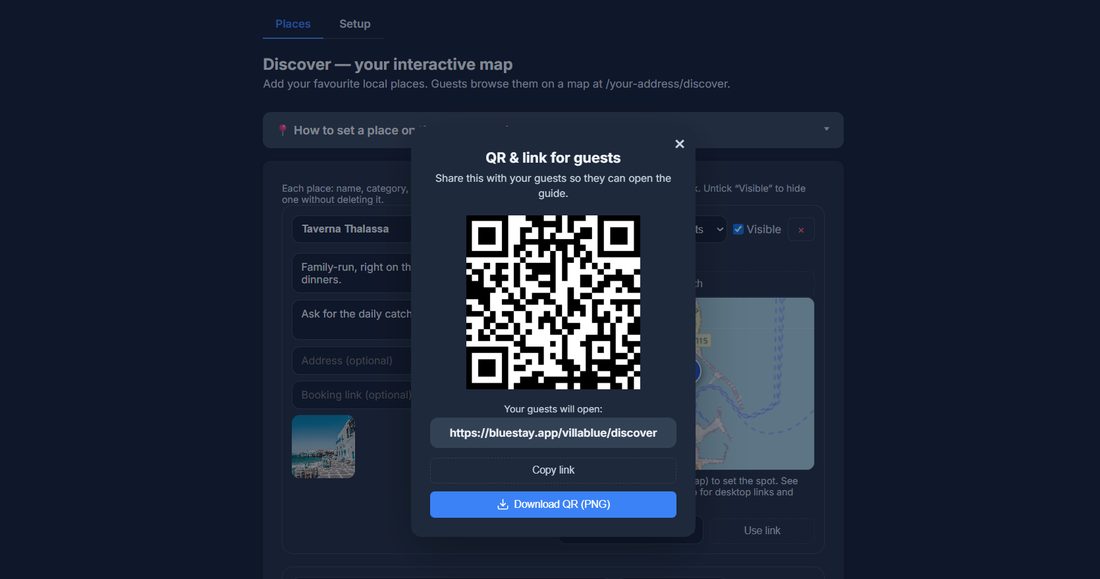
Send guests one link, or print the QR code for the apartment. They open it on any phone — nothing to install.
Change the Wi-Fi password or a rule and guests see it instantly. No reprinting, no re-sending.

Welcome is where the whole property lives: from the same panel you switch between your guide, breakfast, check-in, requests, cleaning and the rest. Counters tell you what came in while you were not looking, and a guide for the program you have open is one click away.
The same answers, always available — so you spend less time replying to "what's the Wi-Fi?".
A polished guide makes a great first impression and shows guests you've thought of everything.
One change updates every guest instantly. No reprinting QR codes or re-sending PDFs.
No. BlueWelcome is a web page: you share one link (or a QR code) and it opens in any phone browser. Nothing to download, nothing to sign up for.
EUR 6 per month for one property. Up to 5 properties is EUR 22.50 per month, up to 20 is EUR 84 per month. Monthly billing can be cancelled anytime, and yearly billing gives you two months free.
Yes. The link always shows the current version, so you can change the Wi-Fi password or add a local tip at any time and every guest sees it immediately. You never need to send a new link.
No. The guide is in English, the working language of tourism; a guest who prefers another language uses their browser’s Translate page. Translations are built in and can be switched on if enough people ask for them.
The things guests ask by message: Wi-Fi name and password, check-in and check-out details, how the heating works, house rules, your contact number, rubbish days, and a few local recommendations.
No. You fill in a form with your property details and the page builds itself. Most owners are done in under an hour, and we can set it up for you if you prefer.
Yes. Each property gets its own page and its own link, all managed from the same account.
Your guide stops being published, but your content is not deleted straight away and you can export it. We will never hold your text hostage.
BlueWelcome is independent: it does not need to connect to anything. You share the link however you already talk to guests, by email, WhatsApp, or a QR code in the property.
Yes. Get in touch and we will show you a working guide for a property like yours, so you can judge it on something real rather than a demo.
Yes, and it is a fair part of what we do. If one of these is close but not quite what your work needs, we can shape it around you — a field you actually use, a step your day really has — or build something that does not exist yet. Write to us and say what is missing; if we think you are better off with something that already exists, we will tell you that too, even though it means not selling you anything.
Yes. The tools themselves are in English today, which is the working language of most of our customers, and the translations are built into the software rather than bolted on. If you need your guests or your team to read it in another language, tell us which one and we will do it for you.
Tell us about your property and we'll set up BlueWelcome for you right away.
Get started